本文主要介绍TextView添加链接的几种可行及不可行方式,并且分析为什么不可行。
Demo APK 可以方便的查看效果,在各大应用商店搜索 trinea android 下载即可,如:Google Play。
效果图如下:
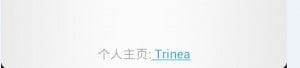
一、可行方式
<TextView
    android:id="@+id/trineaInfo"
    android:layout_width="match_parent"
    android:layout_height="wrap_content" />
trineaInfoTv = (TextView)activity.findViewById(R.id.trineaInfo);
trineaInfoTv.setMovementMethod(LinkMovementMethod.getInstance());
Spanned text = Html.fromHtml("个人主页:<a href=\"http://www.trinea.cn\"> Trinea</a>");
trineaInfoTv.setText(text);
显示链接样式,能点击,touch即点击
<TextView
    android:id="@+id/trineaInfo"
    android:layout_width="match_parent"
    android:layout_height="wrap_content" />
trineaInfoTv = (TextView)activity.findViewById(R.id.trineaInfo);
Spanned text = Html.fromHtml("个人主页:<a href=\"http://www.trinea.cn\"> Trinea</a>");
trineaInfoTv.setOnClickListener(new OnClickListener() {

    @Override
    public void onClick(View v) {
        Uri web = Uri.parse("http://www.trinea.cn");
        Intent i = new Intent(Intent.ACTION_VIEW, web);
        i.setFlags(Intent.FLAG_ACTIVITY_NEW_TASK);
        activity.startActivity(i);
    }
});
显示链接样式,能点击。通过手动设置textView的OnClickListener完成点击响应。
<TextView
    android:id="@+id/trineaInfo"
    android:layout_width="match_parent"
    android:layout_height="wrap_content"
    android:autoLink="all" />
trineaInfoTv = (TextView)activity.findViewById(R.id.trineaInfo);
trineaInfoTv.setText("个人主页:http://www.trinea.cn");
显示链接样式,并且能点击(只响应http://www.trinea.cn部分点击),不过不支持如下的href形式
trineaInfoTv.setText("个人主页:<a href=\"http://www.trinea.cn\"> Trinea</a>");
二、不可行方式
<TextView
    android:id="@+id/trineaInfo"
    android:layout_width="match_parent"
    android:layout_height="wrap_content"
    android:autoLink="all" />
trineaInfoTv = (TextView)activity.findViewById(R.id.trineaInfo);
Spanned text = Html.fromHtml("个人主页:<a href=\"http://www.trinea.cn\"> Trinea</a>");
trineaInfoTv.setText(text);
显示链接样式,不能点击
<TextView
    android:id="@+id/trineaInfo"
    android:layout_width="match_parent"
    android:layout_height="wrap_content" />
trineaInfoTv = (TextView)activity.findViewById(R.id.trineaInfo);
Spanned text = Html.fromHtml("个人主页:<a href=\"http://www.trinea.cn\"> Trinea</a>");
trineaInfoTv.setText(text);
显示链接样式,不能点击
<TextView
    android:id="@+id/trineaInfo"
    android:layout_width="match_parent"
    android:layout_height="wrap_content"
    android:autoLink="all" />
trineaInfoTv = (TextView)activity.findViewById(R.id.trineaInfo);
trineaInfoTv.setMovementMethod(LinkMovementMethod.getInstance());
Spanned text = Html.fromHtml("个人主页:<a href=\"http://www.trinea.cn\"> Trinea</a>");
trineaInfoTv.setText(text);
不显示链接样式,不能点击
三、通过源码分析原因
TextView.setText函数主要源代码如下:
if (!isSuggestionUnderLineRefreshFlag) {
            if (type == BufferType.EDITABLE || mInput != null
                    || needEditableForNotification) {
                Editable t = mEditableFactory.newEditable(text);
                text = t;
                setFilters(t, mFilters);
                InputMethodManager imm = InputMethodManager.peekInstance();
                if (imm != null)
                    imm.restartInput(this);
            } else if (type == BufferType.SPANNABLE || mMovement != null) {
                text = mSpannableFactory.newSpannable(text);
            } else if (!(text instanceof CharWrapper)) {
                text = TextUtils.stringOrSpannedString(text);
            }
        }
        if (mAutoLinkMask != 0) {
            Spannable s2;

            if (type == BufferType.EDITABLE || text instanceof Spannable) {
                s2 = (Spannable) text;
            } else {
                s2 = mSpannableFactory.newSpannable(text);
            }

            if (Linkify.addLinks(s2, mAutoLinkMask)) {
                text = s2;
                type = (type == BufferType.EDITABLE) ? BufferType.EDITABLE : BufferType.SPANNABLE;

                /*
                 * We must go ahead and set the text before changing the
                 * movement method, because setMovementMethod() may call
                 * setText() again to try to upgrade the buffer type.
                 */
                mText = text;

                // Do not change the movement method for text that support text selection as it
                // would prevent an arbitrary cursor displacement.
                if (mLinksClickable && !textCanBeSelected()) {
                    setMovementMethod(LinkMovementMethod.getInstance());
                }
            }
        }
为啥trineaInfoTv = (Button)activity.findViewById(R.id.trineaInfo);这个强转是Button,应该是TextView吧.
多谢指正,已修改